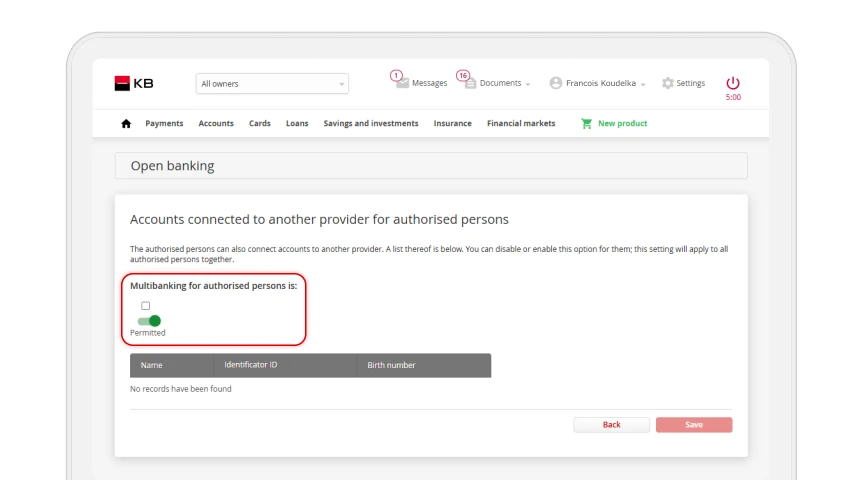
API – Revoking access for authorized users
After logging in to the MojeBanka Business online banking service, select “Open banking” from the main menu. Select “Access to KB accounts and then Main service settings.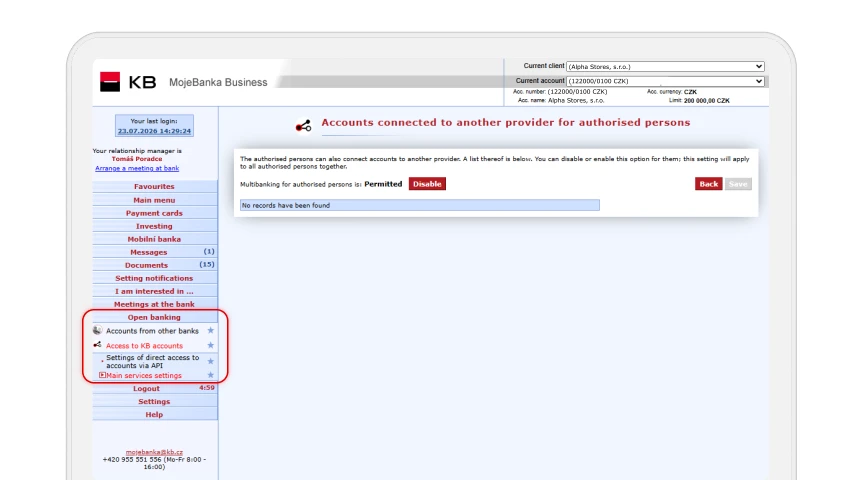
Now select Access for authorized persons.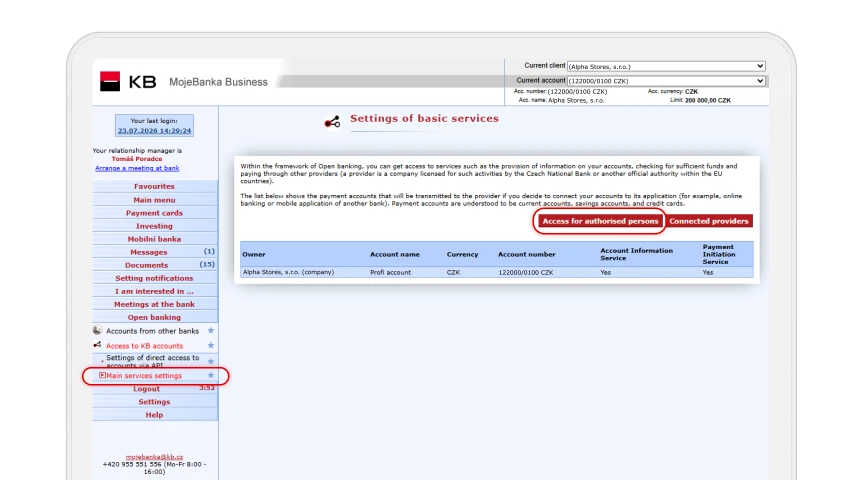
In the MojeBanka online banking service, click on Settings in the top menu. Then, under the Open banking”section, select Main service settings.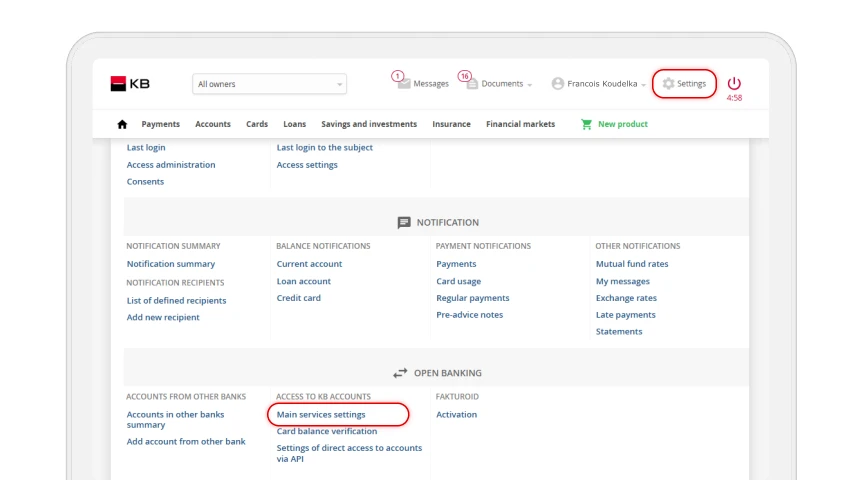
Now select Access for authorized persons.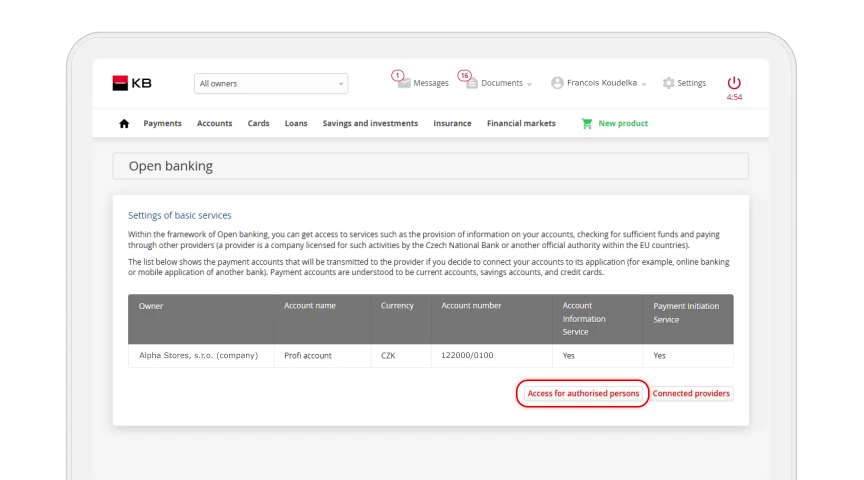
Set the “Account Connected to another provider for authorized persons setting to Premitted. Confirm the change by clicking the “Save” button.